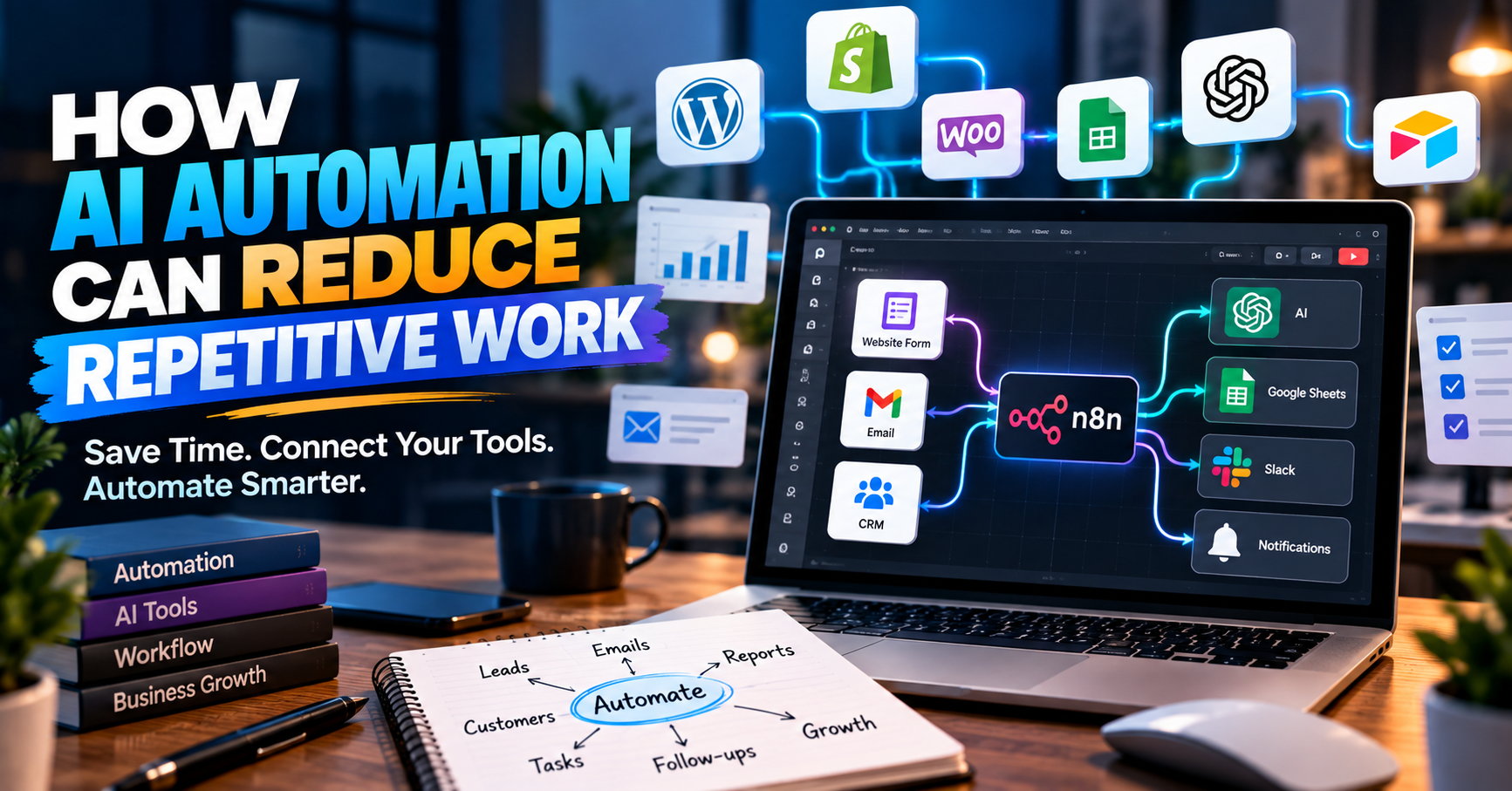
AI automation can help businesses reduce repetitive tasks, save time, improve response speed, and keep daily work organised. By connecting websites, forms, emails, CRM systems, and other tools, businesses can build smarter workflows without adding more manual work.
Many businesses spend hours every week doing the same tasks again and again.
A team member may need to:
- Copy information from one tool to another
- Reply to common customer questions
- Update spreadsheets
- Send follow-up emails
- Create leads in a CRM
- Prepare reports
- Check form submissions
- Assign tasks
- Send reminders
- Update customers about progress
Each task may only take a few minutes.
But when the same work happens many times every day, it can take a large amount of time.
AI automation can help reduce this repetitive work.
It can connect different tools, move information automatically, and use AI when a task needs simple understanding, writing, sorting, or decision support.
The goal is not to replace every person in a business.
The goal is to help people spend less time on repetitive work and more time on important tasks.
What Is AI Automation?
AI automation combines normal workflow automation with artificial intelligence.
Traditional automation normally follows fixed rules.
For example:
When a customer submits a form → send an email → save the information in a spreadsheet.
AI can make the workflow more flexible.
For example:
When a customer submits a form → AI reads the message → identifies the service they need → creates a lead → prepares a reply → sends the information to the correct team member.
This can reduce several manual steps.
What Is n8n?
n8n is a workflow automation platform that can connect different websites, apps, APIs, databases, and business tools.
It can be used to create workflows where one action automatically starts another action.
For example:
Website Form → n8n → CRM → Email → Slack or Team Notification
Businesses can use these workflows to move information between tools without entering the same information again and again.
AI services can also be connected to these workflows.
This allows businesses to create more advanced automation.
Why Businesses Are Using Automation
As a business grows, the amount of daily work also grows.
More customers can mean:
- More emails
- More leads
- More support questions
- More invoices
- More reports
- More project updates
- More data
- More follow-ups
Hiring more people for every repeated task can become expensive.
Automation can help the existing team manage more work without increasing manual effort at the same rate.
Save Time on Repetitive Tasks
One of the main benefits of automation is time saving.
Imagine a company receives 50 enquiries every day.
Without automation, someone may need to:
- Open each message
- Read the enquiry
- Add the information to a spreadsheet
- Create a CRM lead
- Send a confirmation email
- Inform the correct team member
- Schedule a follow-up
This can take a lot of time.
An automated workflow can complete many of these steps within seconds.
The team can then focus on the parts that actually need human attention.
Respond to Leads Faster
Response time can matter when someone is looking for a service.
If a potential customer contacts several companies, the business that responds clearly and quickly may have a better chance of starting the conversation.
Automation can send an immediate confirmation when a new enquiry arrives.
For example:
Customer submits form → customer receives confirmation → sales team receives lead → follow-up task is created.
AI can also help classify the enquiry before it reaches the team.
Automate Website Leads
A business website can become more useful when it connects directly with other business tools.
For example, a website contact form can automatically send data to:
- CRM
- Google Sheets
- Project management software
- Team chat
- Marketing platform
This removes the need to copy information manually.
It can also reduce the chance of forgetting an enquiry.
WordPress and AI Automation
WordPress websites can work with automation systems to create smarter business processes.
For example:
WordPress Form → n8n → AI → CRM → Email
A visitor may submit a project enquiry.
The workflow can:
- Receive the form data
- Read the message
- Identify the requested service
- Add the lead to a CRM
- Prepare a response
- Send a notification to the sales team
- Save the information for future follow-up
This turns a normal website form into part of a larger business system.
Custom Websites and AI Automation
Custom websites and web applications can also connect with automation workflows.
This can be useful when a business has a special process that normal plugins cannot handle easily.
For example, a custom application may need to connect:
- User accounts
- Payments
- CRM
- Documents
- Reports
- Internal dashboards
- AI services
Automation can help these systems share information.
Automate Customer Support Tasks
Many customer support questions are repeated.
Customers may ask:
- What are your business hours?
- What services do you offer?
- Where is my order?
- When is my appointment?
- How can I make a payment?
- What information do you need?
AI can help answer simple questions or prepare replies for the support team.
However, important or sensitive problems should still be reviewed by a person.
Automation should help the support team, not create a poor customer experience.
Automate Follow-Ups
Businesses often lose opportunities because follow-ups are forgotten.
A lead may contact the company today but may not be ready to buy immediately.
An automated system can create follow-up tasks or send reminders.
For example:
New lead → wait two days → check status → create follow-up reminder.
A business can also create different workflows based on the lead type or service.
Connect Your CRM Automatically
A CRM is more useful when information enters it automatically.
Without automation, employees may forget to update customer records.
This can create incomplete information.
Automation can create or update CRM records when:
- A form is submitted
- A customer books a meeting
- A payment is made
- A new order is created
- A support request is received
This helps keep customer information organised.
Automate Appointment and Booking Workflows
Businesses that offer consultations or appointments can automate several steps.
A workflow may include:
Booking → Confirmation → Calendar Event → Team Notification → Reminder → Follow-Up
This can work well for:
- Consultants
- Agencies
- Clinics
- Coaches
- Service businesses
- Property companies
- Professional services
It can reduce the number of manual messages the team needs to send.
Automate Reports
Preparing reports can take a lot of time.
Employees may collect information from several systems and then create a summary.
Automation can collect data automatically.
For example:
A weekly workflow may gather:
- New leads
- Sales
- Website enquiries
- Completed tasks
- Customer support requests
It can then organise the information into a report.
AI can also help create a short written summary.
AI Can Help Sort Information
Businesses receive a lot of unstructured information.
This includes:
- Emails
- Contact messages
- Reviews
- Support tickets
- Customer comments
AI can help organise this information.
For example, it can classify messages as:
- Sales enquiry
- Support request
- Complaint
- Partnership
- General question
The message can then be sent to the correct person or department.
AI Can Help Prepare Content
AI automation can also support content tasks.
For example, a workflow may help prepare:
- Email drafts
- Product descriptions
- Social media ideas
- Report summaries
- Meeting summaries
- Customer replies
Human review is still important.
AI-generated content may contain mistakes or may not match the company's tone.
Automation should therefore be designed with review steps when needed.
Connect Different Business Tools
Many businesses use several separate tools.
For example:
- WordPress
- Gmail
- Google Sheets
- CRM
- Slack
- Calendars
- Payment systems
- Project management tools
The problem is that these tools may not naturally work together.
Automation can act as a bridge between them.
Instead of manually moving information, the workflow can do it automatically.
Reduce Human Errors
Manual data entry can create mistakes.
Someone may:
- Enter the wrong email
- Forget a lead
- Copy the wrong value
- Miss a follow-up
- Save information in the wrong place
Automation can reduce some of these mistakes by following the same process every time.
However, automation itself must also be tested carefully.
A poorly planned workflow can repeat the same mistake many times.
Start With Small Automation
A business does not need to automate everything at once.
It is often better to start with one clear problem.
For example:
Problem: Staff manually copy every website enquiry into a spreadsheet.
Solution: Automatically save every enquiry.
After that workflow works correctly, the business can add:
- CRM connection
- Email confirmation
- AI classification
- Team notifications
- Follow-up reminders
Starting small makes the system easier to test and manage.
What Should You Automate First?
A good place to start is with tasks that are:
- Repetitive
- Rule-based
- Time-consuming
- Easy to measure
- Done frequently
Ask your team:
What task do we repeat every day that should not require so much manual work?
The answer may show the best first automation opportunity.
What Should Not Be Fully Automated?
Not every business process should run without people.
Some situations need human judgement.
Examples include:
- Important customer complaints
- Financial decisions
- Legal decisions
- Sensitive personal information
- Large payments
- Complex project decisions
- Final approval of important content
Automation should have human review points where they are needed.
Data Privacy and Security Matter
Automation systems may move information between several tools.
This means security should be considered from the beginning.
Businesses should understand:
- What data is collected
- Where data is stored
- Which tools receive the data
- Who can access it
- Whether sensitive information is involved
Only necessary information should be shared between systems.
Business owners should also use trusted services, strong access controls, and secure connections.
AI Automation Should Solve a Real Problem
Businesses should not use AI only because it is popular.
An automation should have a clear purpose.
For example:
- Save staff time
- Respond faster
- Reduce manual work
- Improve lead management
- Organise information
- Improve follow-up
- Reduce errors
If an automation does not improve the business process, it may only create extra complexity.
How AP Tech Agency Handles AI Automation Projects
At AP Tech Agency, we first look at the current business process.
We identify which steps are manual, repetitive, or disconnected.
Our process may include:
- Business process discussion
- Current workflow review
- Automation opportunity planning
- Tool and integration selection
- Workflow design
- n8n automation setup
- AI integration where useful
- Testing
- Error handling
- Client review
- Final setup
- Support and future improvement
The goal is to create practical automation that supports the business instead of making the workflow more difficult.
AI Automation Services May Include
- n8n workflow automation
- WordPress automation
- Custom website automation
- Lead automation
- Form automation
- CRM integration
- Email automation
- AI-powered workflows
- API integrations
- Customer enquiry automation
- Notification workflows
- Data transfer automation
- Report automation
- Follow-up automation
The exact solution depends on the business process and the tools already being used.
Final Thoughts
AI automation can help businesses work faster without simply adding more manual tasks.
The biggest value often comes from connecting the tools a business already uses.
A website form can become a lead workflow.
A customer message can become a support task.
A payment can update a record.
A new lead can automatically create a follow-up.
AI can make some of these workflows smarter by helping understand, classify, or prepare information.
The best automation is not the most complicated one.
It is the one that removes unnecessary work and makes the business process easier.
Want to Automate Repetitive Work in Your Business?
AP Tech Agency helps businesses plan and build practical AI and workflow automation solutions.
We can connect websites, WordPress, custom systems, n8n workflows, APIs, and other business tools to reduce repetitive work and improve daily operations.
If you have a process that your team repeats every day, we can review it and help you understand what can be automated.
Contact AP Tech Agency to discuss your AI automation project.