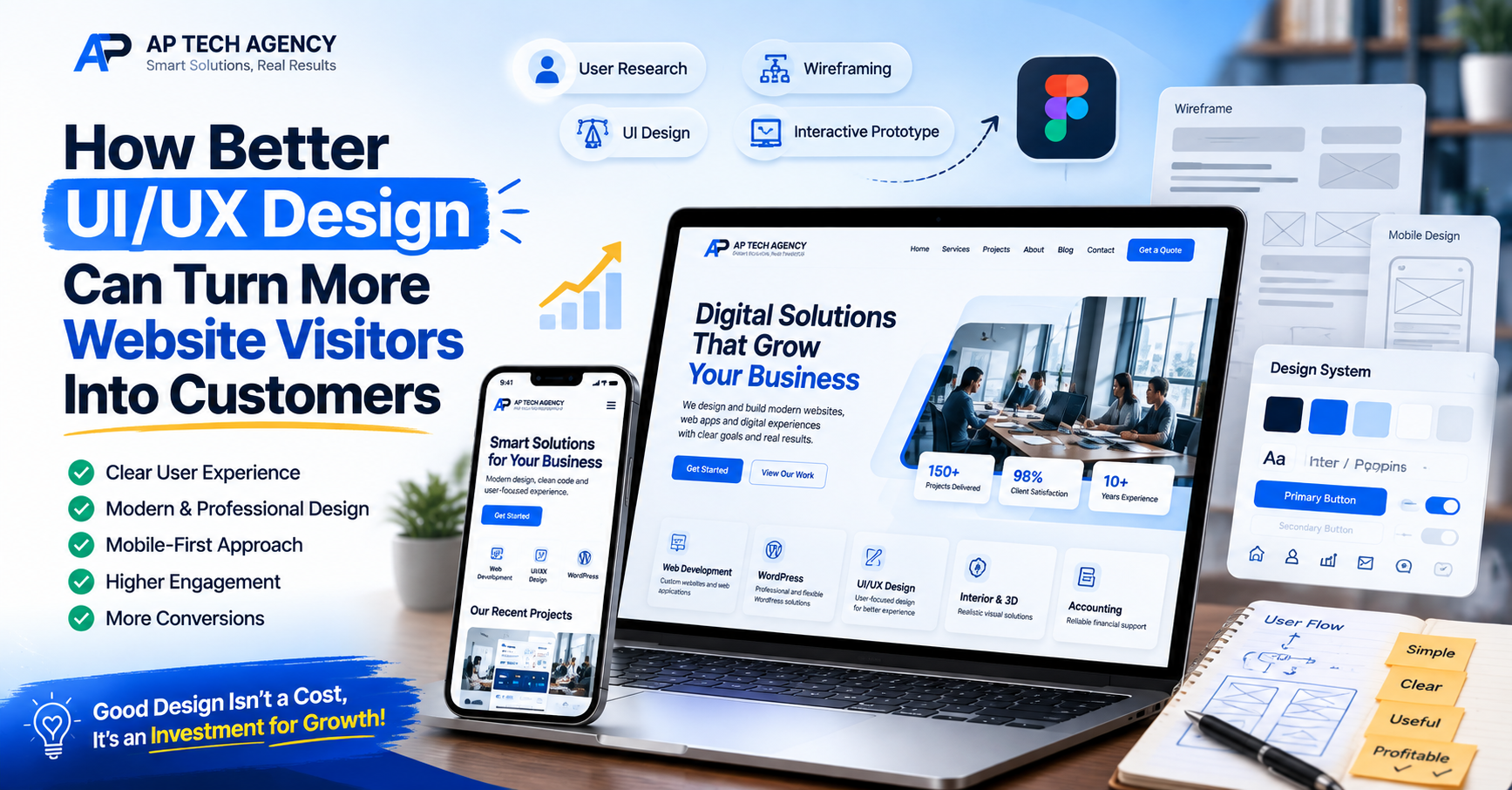
Good UI/UX design helps visitors understand your business, find what they need, and take action with less effort. A clear and professional user experience can improve trust, engagement, and conversions.
A website can look attractive and still fail to bring good results.
Visitors may arrive on the website but leave because they cannot quickly understand the service, find the right page, complete a form, or know what to do next.
This is where UI/UX design becomes important.
Good UI/UX design is not only about colours, images, and beautiful layouts. It is about making the website or application simple, clear, useful, and easy to use.
For a business, better user experience can lead to more enquiries, more sales, and stronger customer trust.
What Is UI Design?
UI means User Interface.
UI design focuses on how a digital product looks and feels.
It includes:
- Colours
- Typography
- Buttons
- Forms
- Icons
- Images
- Cards
- Menus
- Spacing
- Page layouts
- Visual style
A professional UI should support the brand and help users understand the content clearly.
Good visual design also helps a business look more trustworthy and professional.
What Is UX Design?
UX means User Experience.
UX design focuses on how easily people can use a website, app, or online system.
It considers questions such as:
- Can users find what they need?
- Is the navigation clear?
- Is the page easy to understand?
- Are important actions easy to complete?
- Does the website work well on mobile?
- Are users getting confused anywhere?
- Are there unnecessary steps?
Good UX removes problems that make visitors leave.
Why UI/UX Matters for Business
People make fast decisions online.
When someone visits your website for the first time, they quickly decide whether the company looks professional and whether the website feels easy to use.
A confusing experience can reduce trust.
A clear experience can encourage the visitor to continue.
Clear Design Builds Trust
A clean website helps a company look organised.
Visitors are more likely to trust a business when the website has:
- Consistent colours
- Clear headings
- Professional images
- Easy navigation
- Clean spacing
- Simple forms
- Clear contact details
Poor design can make even a good company look less reliable.
Good UX Helps Visitors Find Services Faster
Many business websites offer several services.
If visitors cannot find the service they need, they may leave.
A good website structure helps people move naturally from one section to another.
For example:
Homepage → Service → Details → Previous Work → Contact
The user should not have to search through many unrelated pages to find basic information.
Strong Calls to Action Improve Conversions
A Call to Action tells visitors what they should do next.
Examples include:
- Get a Quote
- Book a Consultation
- Start Your Project
- Contact Us
- View Our Work
- Request a Demo
These buttons should be easy to see and placed at the right points in the user journey.
Too many different buttons can create confusion.
The main goal of each page should be clear.
Mobile UX Is Essential
A website may look excellent on a large desktop screen but still be difficult to use on a phone.
Mobile users need:
- Large enough buttons
- Readable text
- Short forms
- Simple navigation
- Fast-loading pages
- Clear contact options
- Proper spacing
- Easy scrolling
Important information should not be hidden because of a small screen.
A professional UI/UX process should consider desktop, tablet, and mobile experiences.
Speed Is Part of User Experience
Users do not separate design from performance.
If a website takes too long to load, they may simply feel that the website is poor.
Large images, heavy animation, unnecessary scripts, and badly planned layouts can affect the experience.
Designers and developers should work together so the final website remains both attractive and fast.
Keep Forms Simple
Forms are important for many service businesses.
They may be used for:
- Contact requests
- Project enquiries
- Bookings
- Registrations
- Quote requests
- Newsletter sign-ups
Asking for too much information can stop people from completing the form.
Only ask for information that is needed at that stage.
For a first enquiry, a business may only need:
- Name
- Phone number
- Service
- Short message
More detailed information can be collected later.
Use Visual Hierarchy
Visual hierarchy helps users understand what is most important.
For example, the page title should be more noticeable than normal text.
The main button should stand out more than secondary actions.
Important information should not compete with decorative elements.
Good hierarchy can be created with:
- Text size
- Font weight
- Spacing
- Position
- Contrast
- Section order
When everything looks equally important, nothing feels important.
UI/UX Should Support Business Goals
Design decisions should connect with business goals.
For example, if the goal is to receive more consultation bookings, the website should make booking simple.
If the goal is to sell a software product, visitors should quickly understand:
- What the product does
- Who it is for
- What problem it solves
- Key features
- Pricing
- How to start
Good UI/UX guides people towards the business goal without making the experience difficult.
Why Figma Is Useful for UI/UX Projects
Figma allows designers and clients to review website or application designs before development.
The design can include:
- Desktop screens
- Mobile screens
- Reusable components
- Buttons
- Forms
- Menus
- Cards
- Design systems
- Interactive prototypes
This helps identify design problems before development begins.
Changing a layout in the design stage is usually easier than changing a completed website later.
Wireframes Before Final Design
A wireframe is a simple layout that focuses on structure.
It helps answer questions such as:
- Where should the headline go?
- Where should the service information appear?
- Where should users see the main button?
- What should appear first?
- What information can appear later?
After the structure is approved, the visual design can be added.
This can make the design process more organised.
Consistency Makes a Website Easier to Use
Users should not have to learn a new design on every page.
Buttons, headings, forms, cards, and navigation should follow the same visual system.
For example, if blue buttons are used for the main action, the same pattern should continue across the website.
Consistency improves both usability and brand quality.
Common UI/UX Problems on Business Websites
Many business websites lose potential customers because of simple problems.
Common issues include:
- Too much text at the top
- Weak or unclear headlines
- Too many colours
- Small text
- Poor mobile layouts
- Hidden contact details
- Confusing navigation
- Too many pop-ups
- Long forms
- No clear Call to Action
- Inconsistent buttons
- Poor spacing
- Important content placed too far down the page
These problems may look small, but together they can create a poor experience.
How AP Tech Agency Handles UI/UX Design
At AP Tech Agency, UI/UX design begins with the business goal and target users.
Our process may include:
- Business and project discussion
- Competitor review
- User and content planning
- Sitemap planning
- User flow
- Wireframes
- Desktop UI design
- Mobile UI design
- Reusable components and design system
- Interactive Figma prototype
- Client review
- Development handoff
We focus on designs that are modern but also practical.
The goal is not only to make the project look attractive. The design should help users understand the business and complete important actions.
UI/UX for Websites and Web Applications
Website UI/UX and application UI/UX may have different needs.
A business website often focuses on:
- Services
- Trust
- Content
- Case studies
- Leads
- Contact
A web application may focus more on:
- Dashboards
- User accounts
- Tables
- Filters
- Tasks
- Reports
- Notifications
- Permissions
- Settings
Both need clear user flows and consistent interfaces.
Final Thoughts
Professional UI/UX design can make a major difference to how people experience your business online.
Good design helps visitors understand information, move through pages, complete forms, and take action without unnecessary confusion.
The best design is not always the design with the most effects.
It is the design that makes the user's next step clear.
If your website receives visitors but does not produce enough enquiries or sales, reviewing the user experience may be a good place to start.
Need Professional UI/UX Design?
AP Tech Agency helps businesses design websites, web applications, dashboards, and digital products with clear and user-friendly interfaces.
Our team can help with UI/UX planning, wireframes, Figma designs, mobile layouts, prototypes, and complete design systems.
Contact AP Tech Agency to discuss your next UI/UX design project.